


Pango Parking
3.2527.00 Reviews
App Specs
- Version
- 6.4.6
- Updated On
- License
- Free
- Downloads
- 100,000+
- Developer
- Mobile Smart City Corp
- Categories
- Maps & Navigation
- Platform
- Android
Screenshots
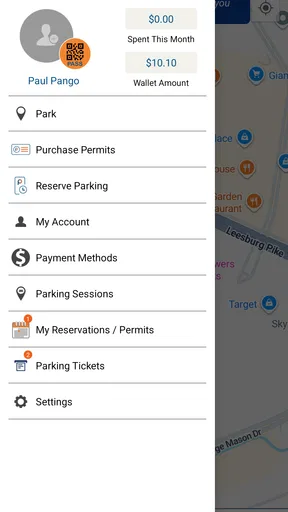
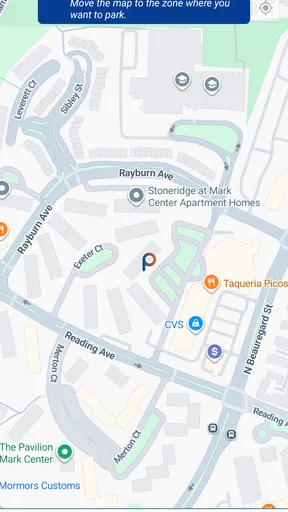
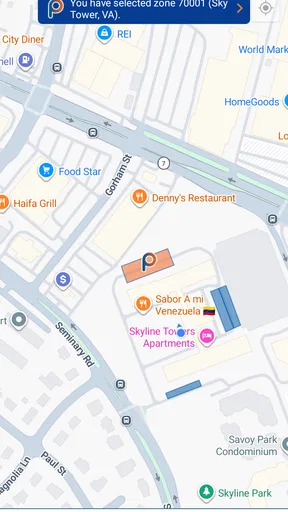
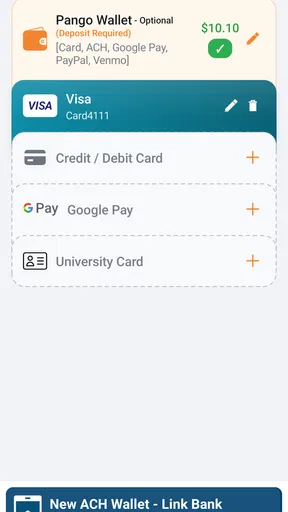
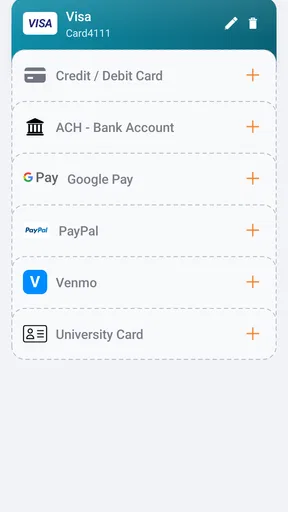
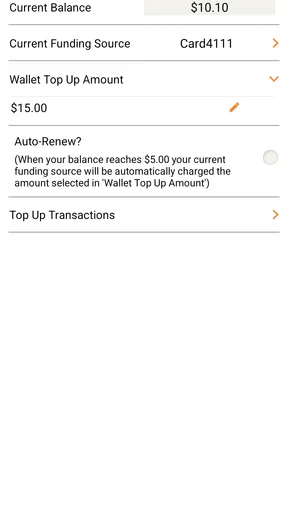
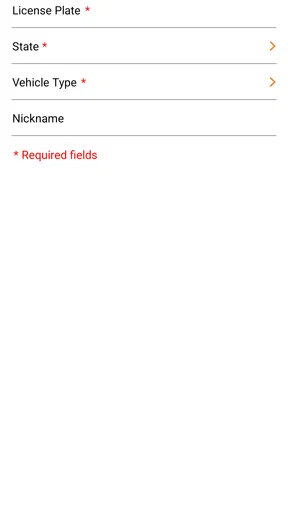
 Analysis by AppCompare
Parking apps are most useful when they remove one small but annoying task from an already busy trip: finding the right place to pay, working out how long to stay, and getting back to the car without wondering whether the meter has expired. I tested Pango Parking with that practical question in mind. It is a free Maps & Navigation app from Mobile Smart City Corp, built around paying for parking rather than replacing every navigation tool on your phone.
That distinction matters. I would not treat it as a universal map, a complete travel planner, or an automatic answer for every parking situation. Its value depends heavily on whether the location you are using supports Pango. When it does, the app can make a routine parking stop feel much less awkward. When it does not, a local parking app, a standard meter, or a city-operated payment method may be the better choice.
How I would decide whether Pango belongs on your phone
I’d decide by looking at the places I park repeatedly, not by installing it just in case. If the signs at those locations point to Pango, I’d try it on an ordinary, unrushed visit and see whether the payment routine feels simpler than my current one. That small test makes the app’s everyday usefulness clearer than novelty or general reputation can.
The first question is local coverage
Before changing your parking routine, I would check whether the garages, lots, or street spaces you regularly use accept Pango. This is the most important decision criterion, and it is more useful than judging the app by its general store rating of 3.2 from around 856 ratings. A parking payment tool can be excellent in one area and nearly irrelevant in another simply because acceptance varies by location.
I also recommend checking the signs at the parking area instead of assuming that an app shown in a search result will work there. Parking instructions usually identify the accepted payment method, and that information should take priority. If the sign points to Pango, the app has a clear reason to be installed. If it points elsewhere, downloading Pango at the entrance may only create extra delay.
Think about your normal parking pattern
Pango makes the most sense for people who park in supported areas often enough to appreciate a repeatable payment routine. That includes commuters, people who visit the same downtown district, and drivers who regularly stop near offices, clinics, shops, or public events. The benefit is less about one dramatic feature and more about reducing repeated friction.
For someone who parks only a few times a year, the usual alternatives may be simpler. A physical meter or a city payment option does not require learning another app before a short visit. I would also hesitate to recommend Pango as the only parking solution for a traveler who moves between many cities without checking local acceptance first.
Worth Reading Before You Choose

EA SPORTS FC Mobile 26 Is a Bigger Football Game, but It Takes Time

Flipboard Shows What News Apps Must Do Beyond the Feed

Switching to Android Auto Means Rethinking Your Driving Routine

Google Calendar Makes a Crowded Week Easier to Manage

Ludo King Makes the Most of the Minutes Between Plans

Baby Panda World Brings Quick Play to Modern Phones, but Its Game Library Feels Busy
Separate navigation from payment
The category label can create the wrong expectation. Pango sits in Maps & Navigation, but I see it primarily as a parking-payment companion. I would still use my usual map for directions, traffic, walking routes, and broad location planning. That division of labor is sensible: one tool gets me to the area, while Pango handles the supported parking transaction.
This approach is especially helpful when I am driving. Trying to make one app handle directions and payment at the same time can be distracting. My preferred workflow is to plan the destination before pulling into the parking area, then use the parking signs and Pango only when the car is safely stopped.
What the public figures suggest, and what they do not
The app has passed 100K installs and has been available since October 17, 2016, so it is not a brand-new experiment. That history gives it a degree of familiarity in the parking-app space, but it should not be confused with a promise that it will work in every town.
It is rated for Everyone and is free to install. The current version is 6.4.6, and it requires Android 7.0 or later. Those details make it accessible to many Android users, although compatibility alone does not answer the more important question: whether the parking location you need is part of the service.
A realistic everyday use case
Imagine I am driving downtown for an appointment. I arrive with only a short amount of time to spare, find a supported parking area, and see Pango named on the sign. Instead of searching for coins or standing at a separate machine while checking the appointment time, I open the app, select the relevant parking location, and complete the payment process on the phone.
The practical advantage is not that the app turns parking into something exciting. It is that the payment step becomes easier to fit into the trip. I can pay after parking rather than making a separate detour to a machine, and I have a digital routine I can repeat the next time I visit the same area. I would still read the sign carefully and keep the parking rules in mind; convenience does not replace local restrictions.
What works well, and where another option may be smarter
For me, the trade-off comes down to repeat convenience versus local fit: a familiar phone-based routine can help when Pango is accepted, while a meter or the venue’s own payment method may be more dependable elsewhere. I’d weigh how often I revisit supported areas against the extra account and backup habits an app requires. The next section looks at those strengths and limits in practical terms.
Where Pango wins
The strongest part of Pango is its narrow focus. A dedicated parking app can be less cluttered than a broad city-services application that tries to cover transit, permits, maps, events, and payments all at once. For a driver who already knows where to park, the useful action is straightforward: identify the supported parking area and pay without handling a physical meter.
I also like the possibility of building a consistent habit around it. Repeated parking is where a small convenience becomes worthwhile. If I visit the same district every week, I do not want to relearn the payment process each time. Keeping one parking tool ready can reduce the number of decisions I make at the curb, particularly when weather is poor or I am carrying bags.
Another practical strength is that it gives the phone a clear role after arrival. My navigation app can get me close, and Pango can take over for the payment step. That separation is less glamorous than an all-in-one promise, but it is easier to understand and less likely to make me hunt through unrelated menus.
The real advantage is dependable routine in a supported parking area, not universal coverage. That is the lens I would use when recommending it. If your regular locations display Pango instructions, the app deserves a place in your parking workflow. If they do not, its general reputation will not make it useful at the moment you need it.
Small habits that prevent avoidable problems
My first tip is to set up and inspect the app before arriving at a busy location. Doing this while parked at home lets me become familiar with the interface without pressure. I would not wait until I am blocking traffic, standing in rain, or watching a countdown to an appointment to discover that I need to make an account or confirm a parking area.
My second tip is to photograph or remember the location identifier shown on the sign before opening the payment screen. Parking areas can look similar, especially around large buildings or connected lots. Selecting the wrong area is a more serious risk than taking a few extra seconds to match the app with the physical sign.
Third, I would check the confirmation screen before walking away. I want to verify the selected location and the intended parking period rather than assuming that tapping through the process automatically means I am covered. This is a simple habit, but it matters more with phone-based payment than with inserting coins into a clearly labeled meter.
Finally, I would keep a backup plan. That does not mean carrying a second parking app for every trip. It means knowing whether the location also accepts a machine, another payment method, or a local alternative. A low phone battery, weak signal, or an unexpected change at the parking site can turn a convenient digital workflow into a delay.
Where alternatives may fit better
A standard meter remains a reasonable choice for occasional drivers. It is visible, local, and does not require learning a separate service. If I am parking once in an unfamiliar place and the meter is working normally, the physical option may be faster than downloading an app and creating a new routine.
A city-specific parking app can be better when I need more than payment in one municipal area. Some local tools may combine parking with permits, neighborhood rules, or other city services. I would choose that type of app when my needs go beyond paying for a single session, but I would not assume it is automatically easier just because it is official or local.
A broader mobility app may suit someone who wants parking alongside public transportation, ride services, or trip planning. The trade-off is that broader apps can feel busier when all I want is to pay for a space. Pango’s focused purpose is an advantage for a dedicated parking user, while an all-in-one tool may be more convenient for someone organizing an entire journey.
For a garage that has its own payment system, the garage’s method may be the safest option. Local instructions should always win over habit. I would not force Pango into a situation where the operator identifies another service, because the cost of choosing the wrong payment route can be a parking dispute or an unpaid session.
Limitations I would take seriously
The biggest limitation is the dependence on participating locations. This is not a flaw unique to one screen or one release; it is built into the nature of a parking network. A driver can enjoy the app in one neighborhood and find it useless a few streets away. That makes local checking essential before relying on it for an important appointment.
The app also adds another account and payment routine to everyday life. Some people will consider that a fair exchange for convenience, while others will prefer cash, a card at the meter, or a city app they already use. If you dislike maintaining several service apps, Pango may feel like unnecessary duplication unless it covers your most frequent destinations.
There is also a human-factor limitation: phone payment can encourage people to rush through the process. A physical sign still contains the rules, location code, and restrictions that the app cannot replace. I would never treat a successful-looking transaction as permission to ignore time limits, reserved spaces, event restrictions, or other on-site instructions.
The average rating of 3.2 is a useful reminder to keep expectations measured. I would not read that figure as proof that the app is poor, nor would I dismiss user frustration. Parking apps are judged in stressful moments, and problems involving a wrong location, an interrupted payment, or unclear instructions feel more serious than ordinary app inconveniences.
The cost of switching from your current method
Because the app is free, the main switching cost is not the download price. It is the time needed to learn the process, prepare the account, and decide whether the service fits the places where you park. For a frequent visitor to supported locations, that one-time effort can pay off through a smoother routine.
For an occasional driver, the calculation is different. If I rarely use supported parking, I may gain little from adding another app. In that case, the simplest method at the location is probably the right one. I would install Pango when I have a specific recurring need, not merely because I might someday encounter a compatible sign.
Switching also means changing my backup habits. I would keep the usual navigation app for directions, save enough battery for the return trip, and avoid deleting a familiar payment method until I had used Pango successfully in a low-pressure situation. That staged approach makes the change practical rather than risky.
Who should use it, and who should skip it
I would recommend Pango to drivers who frequently park where it is accepted, want a mobile payment routine, and are comfortable checking signs before starting a session. It is particularly sensible for repeat visits, because the value comes from reducing the same small annoyance over and over.
I would suggest looking elsewhere if your local parking areas consistently use different systems, if you only park a handful of times, or if you prefer not to manage payment through a phone. It is also not my first recommendation for someone seeking a complete navigation experience; I would pair it with a dedicated map rather than expecting it to replace one.
My recommendation after using it
Pango Parking is worth trying when your regular parking locations visibly support it. Its free entry point, focused purpose, and long presence in the category make it a reasonable tool for repeat parking payments. I especially appreciate it as a companion to normal navigation, not as a replacement for every driving app on my phone.
My recommendation is conditional rather than universal. Check the signs at the places you actually use, prepare the app before a time-sensitive trip, confirm the selected location carefully, and keep a backup payment option for unfamiliar areas. If those steps match your habits, Pango can remove a surprisingly persistent bit of parking friction. If your city or favorite garage uses another system, choosing that alternative will be more practical, regardless of how convenient Pango may be elsewhere.
Overall, I see it as a useful specialist rather than an essential app for every driver. The best reason to install it is concrete: you park in supported locations often and want a repeatable phone-based payment process. Without that connection to your everyday routes, the app is likely to remain unused, while the ordinary meter or local parking service continues to be the simpler answer.
Pros
- Simple interface makes parking sessions quick to start and manage.
- Helps locate available parking options in supported areas.
- Digital payment reduces the need for coins or parking meters.
- Session reminders can help prevent accidental parking overstays.
- Useful map view for checking nearby parking locations.
Cons
- Coverage depends heavily on the city and participating parking operators.
- Parking availability may not always be updated in real time.
- Service fees can increase the total cost of a parking session.
- Some features require location access and reliable mobile data.
- App usefulness is limited in areas with few supported parking zones.
FAQs for Pango Parking
What is Pango Parking and what can I use it for?
Pango Parking is a mobile parking service designed to help drivers find, pay for, and manage parking through their smartphone. Depending on the city or parking operator, the app may support street parking, parking lots, garages, digital permits, and parking-session extensions. Available features vary by location, so you should check whether your city is supported before downloading and creating an account.
How do I pay for parking with Pango Parking?
After signing in, you generally select your parking location or zone, enter your vehicle details, choose the desired parking duration, and confirm payment using an available method. The app normally displays the applicable rate and session information before you pay. Payment options, service fees, minimum durations, and accepted cards can differ between locations, so review the final total carefully.
Can Pango Parking remind me when my parking session is about to expire?
Pango Parking may provide notifications or reminders about an active parking session, helping you avoid overstaying. In supported areas, you may also be able to extend your session remotely if local regulations and remaining time allow it. Notifications depend on your phone permissions and internet connection, so always check the app’s timer and local signs rather than relying exclusively on an alert.
Is Pango Parking available in every city and parking area?
No. Pango Parking operates only in participating cities, municipalities, parking facilities, or zones. Coverage can also differ within the same city, and some locations may offer only selected features such as mobile payment or permits. Before using the app, verify the location on the official coverage map or look for Pango instructions on nearby parking signs to avoid paying through the wrong service.
What should I do if I receive a parking ticket or have a payment problem?
A successful payment in the app does not automatically guarantee that a ticket will not be issued if you select the wrong zone, enter an incorrect license plate, exceed the paid time, or park where restrictions apply. Save your receipts and session details in case support requests them. For failed payments, duplicate charges, refunds, or disputes, contact Pango support and follow the parking authority’s appeal procedure.


